
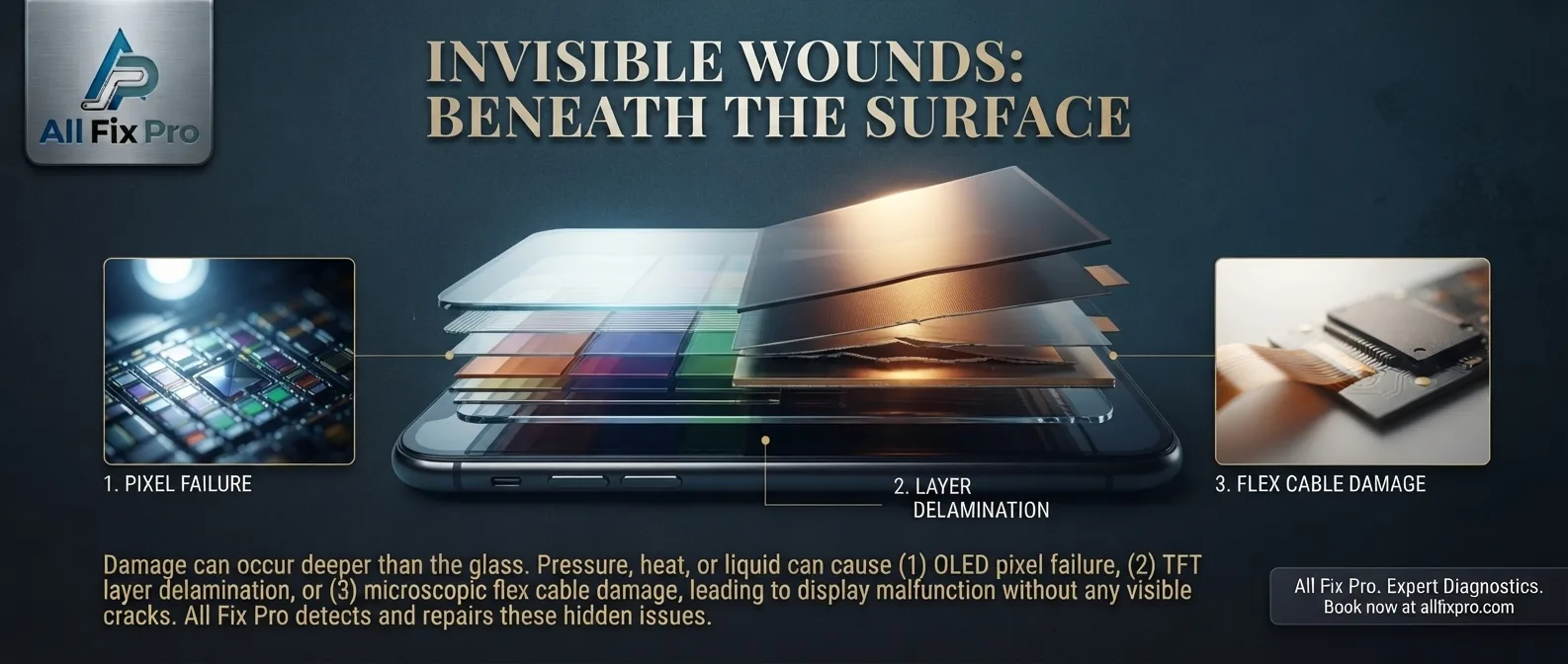
Yes. A smartphone display can develop problems even when the outer glass looks completely normal. A phone may show black spots, unusual colors, touch response problems, or flickering without having a visible crack. Phone screen damaged but not cracked is a situation that can happen after a drop, pressure, bending, or another form of physical impact.
The outer glass is only one part of the screen assembly. Internal display components can be affected without leaving an obvious mark on the surface. Recognizing the warning signs can help you decide whether the phone needs professional inspection.
How Can a Screen Be Damaged Without Breaking the Glass?
A smartphone screen contains multiple components that work together. The outer glass protects the display, while the panel underneath produces the images you see. Touch-sensing technology also allows the phone to recognize taps and gestures.
A strong impact can damage the display panel or internal connections without breaking the outer glass. Pressure in a pocket or bag can also affect the screen, particularly if the phone is bent or squeezed.
This means a phone can look fine from the outside but still have a display problem. A visual inspection alone cannot always confirm that the screen is working correctly.
Touchscreen Not Responding Without Cracks
One warning sign is a touchscreen not responding without cracks. You may be able to see the home screen and open apps using buttons or voice controls, but certain areas may not register your finger.
This can happen when the touch-sensitive system or its connection is affected. A software issue, screen protector, or moisture can also interfere with touch response, so the symptom does not automatically prove internal damage.
Try restarting the phone if it is safe to do so. If the problem continues, avoid pressing repeatedly on the affected area. A technician can test the touchscreen and display assembly to identify the cause.
What Do Black Spots Under Phone Glass Mean?
Black spots under phone glass may indicate damage to the display panel beneath the outer surface. These spots can appear after an impact and may remain visible even when the glass itself is unbroken.
Some spots stay in one place, while others may spread or change over time. The appearance depends on the display technology and the type of damage.
Do not press on a black spot to see whether it disappears. Pressure can make a damaged display worse. If the spot appeared after a drop or begins spreading, arrange an inspection and back up important data while the screen is still usable.
Phone Display Discoloration and Unusual Colors
Phone display discoloration can appear as yellow, green, purple, or uneven areas across the screen. It may affect only one corner or cover a larger section of the display.
Possible causes include physical panel damage, pressure, moisture, or a display-related hardware fault. Settings such as color filters and night display modes can also change how colors appear, so it is useful to check those settings before assuming the screen is damaged.
If you notice colored lines as well, our guide to green, purple, or black lines on a phone screen provides more information about those specific display symptoms.
What Causes Ghost Touch Problems?
Ghost touch causes can include damage to the touch-sensitive layer, a faulty display assembly, moisture, electrical interference, or a poor-quality screen protector.
Ghost touch happens when the phone registers input that you did not make. Apps may open by themselves, the keyboard may type unexpectedly, or the screen may scroll without your finger touching it.
First, clean and dry the screen and check whether the screen protector is lifting or damaged. If the behavior continues, especially after a drop, have the phone examined.
How to Recognize Hidden Display Damage
Common hidden display damage symptoms include flickering, black patches, lines, uneven brightness, color changes, delayed touch response, and areas that stop responding.
Not every symptom means the display needs replacement. Some problems may come from software, settings, a loose connection, or another component. The important point is to identify when the problem began and whether it is becoming more frequent.
If your screen still works, back up your photos, contacts, and important files. Do not attempt to open the phone or apply pressure to the affected area.
When Should You Have the Screen Checked?
Professional inspection is recommended when a display problem continues after basic troubleshooting, appears after an impact, or interferes with normal phone use.
A technician can test touch response, check the display panel, inspect internal connections, and determine whether the issue is hardware-related. If your phone needs professional attention, you can explore our phone repair services.
It is also useful to understand the difference between visible cracks and internal display problems. Read our guide about what happens when you use a phone with a cracked screen.
Frequently Asked Questions
1. Can a phone screen be damaged without a crack?
Yes. The internal display panel or touch components can be damaged even when the outer glass remains unbroken.
2. Why does my phone have black spots but no cracks?
Black spots can indicate internal display panel damage. A technician can inspect the screen to confirm the cause.
3. Can a phone have touch problems without visible damage?
Yes. A damaged touch-sensitive component, loose connection, software issue, or unsuitable screen protector may affect touch response.
4. Will hidden screen damage get worse?
It can remain stable or become more noticeable, depending on the cause. New or spreading display problems should be inspected.
5. Is discoloration always a sign of a damaged display?
No. Display settings can change colors, but persistent discoloration after a drop may indicate a hardware problem.
6. What should I do if my phone starts opening apps by itself?
Clean and dry the screen, check the screen protector, and restart the device if safe. If ghost touches continue, arrange a professional inspection.
7. Does a phone need a full screen replacement if the glass is fine?
Not always. The repair depends on the affected component and the phone’s screen design. Some models use integrated display assemblies.
8. Should I back up my phone if the screen has hidden damage?
Yes. Backing up important data is a sensible precaution, especially if the display or touchscreen is becoming unreliable.