
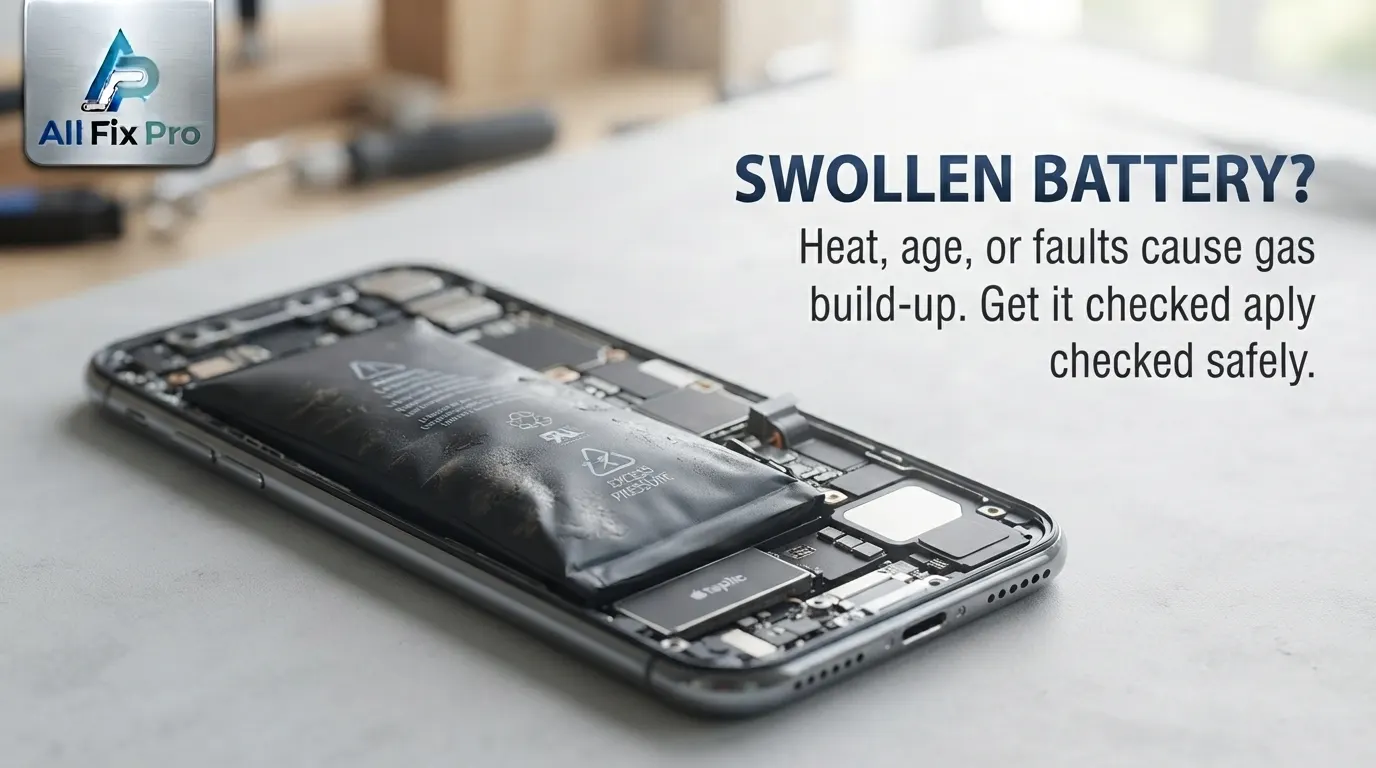
A smartphone battery should normally remain flat and securely fitted inside the device. If the phone’s back cover starts lifting, the screen separates from the frame, or the body looks unusually thick, the battery may be swelling. This is not an ordinary sign of phone aging and should be treated as a safety concern.
Swollen smartphone battery causes are usually connected to changes inside the rechargeable lithium-ion battery. As the battery deteriorates or becomes damaged, gas can build up inside its sealed cell and cause it to expand. The pressure may push against nearby phone components and affect the device’s structure.
Understanding why swelling happens and recognizing the early warning signs can help you respond safely.
Why Do Smartphone Batteries Swell?
Most modern smartphones use rechargeable lithium-ion batteries. These batteries are designed to store and release energy through internal chemical reactions. Over time, the battery’s internal materials can deteriorate.
When unwanted chemical reactions occur inside a damaged or aging battery, gas may accumulate within the sealed cell. This can cause lithium battery expansion, making the battery thicker than its original shape.
Several factors can contribute to this condition, including:
- Natural battery aging over an extended period.
- Excessive heat exposure.
- Physical damage from drops or pressure.
- Internal battery defects.
- Damage caused by improper handling or unsuitable charging equipment.
Not every older battery will swell, and swelling does not always have one obvious cause. A technician needs to examine the device to assess its condition.
What Are the Common Signs of a Swollen Phone Battery?
Recognizing phone battery swelling signs early is important because an expanding battery can place pressure on the phone’s screen, frame, and rear cover.
Watch for these physical changes:
- The back cover starts separating from the phone body.
- The screen lifts away from the frame.
- The phone no longer sits flat on a table.
- The device looks thicker than it used to.
- Gaps appear along the phone’s edges.
- The display or rear panel becomes visibly raised.
These swollen phone battery symptoms should not be ignored. A phone may still turn on and appear to work, but that does not mean the battery is safe to continue using.
If you notice these signs, do not press the raised cover back into place. Pressure can damage the battery further.
Why Does a Phone Back Cover Start Lifting?
A phone back cover lifting can be one of the most noticeable signs of battery swelling. In many smartphones, the battery is positioned close to the rear panel. As the battery expands, it pushes against the surrounding housing.
The pressure can loosen adhesive, create visible gaps, or separate the rear cover from the frame. In some models, the screen may also begin lifting because the battery sits beneath the display assembly.
However, a loose back cover does not always mean the battery is swollen. Physical damage, worn adhesive, or a previous repair may also affect how the cover fits.
Do not try to glue the panel down or hold it in place with tight tape. First, have the phone assessed to determine whether the battery is expanding.
You can also read AlFixPro’s guide on what happens when a phone is dropped in water to understand why physical and liquid damage should be assessed rather than ignored.
How Can Battery Swelling Damage Other Phone Components?
As a battery expands, it takes up more space inside the phone. This creates battery pressure damage that can affect nearby components.
The pressure may separate the display from its frame, damage the rear cover, place stress on internal connections, or affect the phone’s overall structure. A screen that was originally fitted securely may become loose or distorted.
The battery itself can also become more vulnerable if it is squeezed, punctured, bent, or exposed to additional heat.
For this reason, avoid attempting to remove a swollen battery yourself unless you are trained and equipped to handle it. Do not puncture, bend, compress, or try to flatten it.
What Should You Do If Your Phone Battery Is Swelling?
If you suspect battery swelling, stop using and charging the phone. If it is safe to do so, switch it off without pressing the affected area. Keep it away from direct sunlight, heaters, and flammable materials.
Do not place the phone in your pocket or bag where pressure may be applied. Avoid trying to remove the battery, force the back cover closed, or continue charging the device to test it.
Arrange a professional inspection. If the phone is hot, smoking, leaking, or producing an unusual smell, do not handle or transport it yourself. Move away from the device and seek appropriate emergency assistance.
Before arranging other types of phone repairs, you can review AlFixPro’s phone repair preparation checklist. However, a swollen battery requires special handling, so do not follow ordinary preparation steps that involve using or charging the device.
When Should You Get a Swollen Battery Replaced?
A visibly swollen battery should be assessed promptly by a qualified repair technician. The technician can examine the battery, phone housing, and nearby components to determine the appropriate repair.
Battery replacement may be recommended when the existing battery is confirmed to be swollen or damaged. The exact repair process depends on the phone model, battery construction, and condition of the surrounding components.
AlFixPro provides phone hardware repair services in Stockton, California. You can review the phone repair service page or pricing page for general service information. The final repair recommendation and quote depend on the device’s condition and the parts required.
Frequently Asked Questions
1. What causes a smartphone battery to swell?
Swelling can result from internal chemical changes, battery aging, excessive heat, physical damage, or a battery defect. Gas can build up inside the sealed battery cell and cause expansion.
2. Is a swollen phone battery dangerous?
It can be. A swollen lithium-ion battery may become more vulnerable to damage, overheating, or fire. Stop using and charging the phone and arrange professional assistance.
3. Can a swollen battery lift a phone’s back cover?
Yes. An expanding battery can push against the rear housing and cause the back cover to separate from the frame.
4. Should I charge a phone with a swollen battery?
No. Stop charging the phone if you suspect the battery is swollen. Do not continue using it to test whether it still works.
5. Can a swollen phone battery damage the screen?
Yes. Battery expansion can place pressure on the display assembly and may cause the screen to lift or become distorted.
6. Can I press a swollen battery back into shape?
No. Never press, bend, puncture, or attempt to flatten a swollen battery. These actions can increase the risk of damage.
7. Does every lifted phone screen mean the battery is swollen?
No. A loose screen can have other causes, including frame damage or worn adhesive. A professional inspection is needed to identify the reason.
8. Where can I get a swollen phone battery inspected in Stockton?
AlFixPro provides phone hardware repair services in Stockton, California. A swollen battery requires careful assessment and safe handling.