
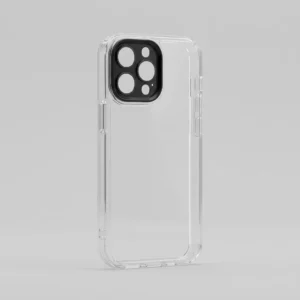
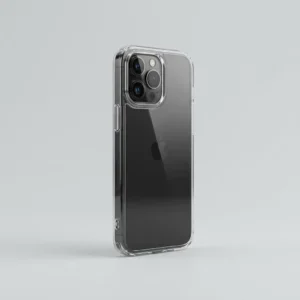
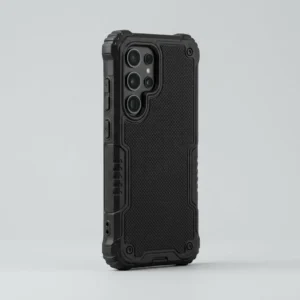
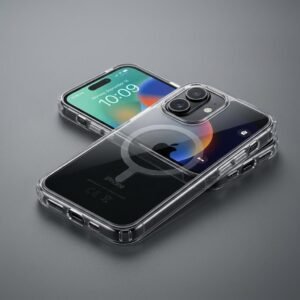
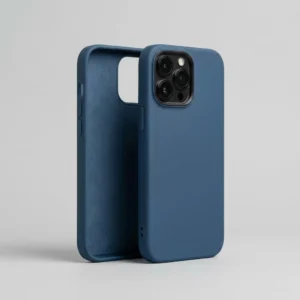
iPhone Cases for iPhone 16, iPhone 15 and iPhone 14
Our iPhone cases collection is sorted by model, because a case that’s off by a couple of millimeters means a blocked button, a half-covered camera or a phone that rattles around. Whether you need an iPhone 16 Pro Max case or something for an older iPhone 14 Pro Max, you’ll find the right fit below. We repair iPhones at our Stockton, CA shop every day, so we’ve seen what happens to phones that went without a decent case. If yours is already damaged, our phone repair team can fix it before the new case goes on.
Choose Your iPhone Case by Model
iPhone 16 Pro Max Case
The biggest of the lot, so cases for it are bulkier than most. The 16 series also has the Camera Control button on the right edge, and a case that doesn’t have a proper cutout or button cover for it makes the button annoying to use. Check the listing mentions it.
iPhone 16 Pro Case
Smaller than the Max but with the same camera layout and button positions. A good iPhone 16 Pro case leaves the camera ring raised above the lenses, which stops scratches when the phone lies on a desk.
iPhone 15 Case
The standard iPhone 15 case is the easiest to find, with the most styles and the most color choices. It uses USB-C, so make sure the bottom cutout is wide enough for your cable.
iPhone 15 Pro Max Case
Cases for the iPhone 15 Pro Max need the right cutout for the Action button, which replaced the old ring/silent switch on Pro models. A badly cut one can block it.
iPhone 14 Pro Max Case
Still very common in our shop. An iPhone 14 Pro Max case has to leave room for the Dynamic Island area and a fairly large camera bump, and it charges over Lightning, not USB-C.
Silicone iPhone Case
A silicone iPhone case feels soft and grippy, and it absorbs knocks on the corners well. Lint and dust stick to it, and cheaper ones stretch after a few months. For wireless charging, thin silicone is usually fine.
Not Sure Which Style You Want?
If you like your phone’s color, look at our clear phone cases. For job sites or kids, our rugged phone cases give you far more protection. The full range is in our phone cases collection, and Android owners can go to Samsung Galaxy cases.
Add an iPhone Screen Protector
A case guards the edges and back, but the glass is still exposed. Pair it with an iPhone screen protector in the case-friendly style, so the edges don’t lift against the case lip. Chargers and cables to go with it are in our phone accessories.
Frequently Asked Questions
How do I find my iPhone model?
Open Settings, tap General, then About, and look at Model Name. On older iPhones the model number is also printed in small text on the back. Check this before you order, since several iPhones look almost identical.
Does an iPhone 15 Pro Max Case fit your iPhone 16 Pro Max?
No. The 16 Pro Max is slightly bigger and hides the buttons and camera cutouts, so the 15 Pro Max case won't fit. Purchase a one specially designed for your model.
Do these cases work with wireless charging?
Most do, especially slim ones. Cases thicker than roughly 3 mm, or with metal plates or card slots inside, can slow charging or stop it. If charging acts up, take the case off and test.
Are there screen protectors that can be used with these cases?
Yes. Pick a case-friendly screen protector, because full-edge glass can lift against cases with a raised screen lip. See our iPhone screen protectors.
Do you have cases for other iPhone models?
We add models as we go, so check the collection first. If you can’t find yours, contact us and we’ll tell you what’s available.
Does a case make my iPhone overheat?
A thick case can trap a little heat during fast charging or long gaming sessions, but it’s usually minor. If your phone gets properly hot while charging, remove the case and see if that helps.