
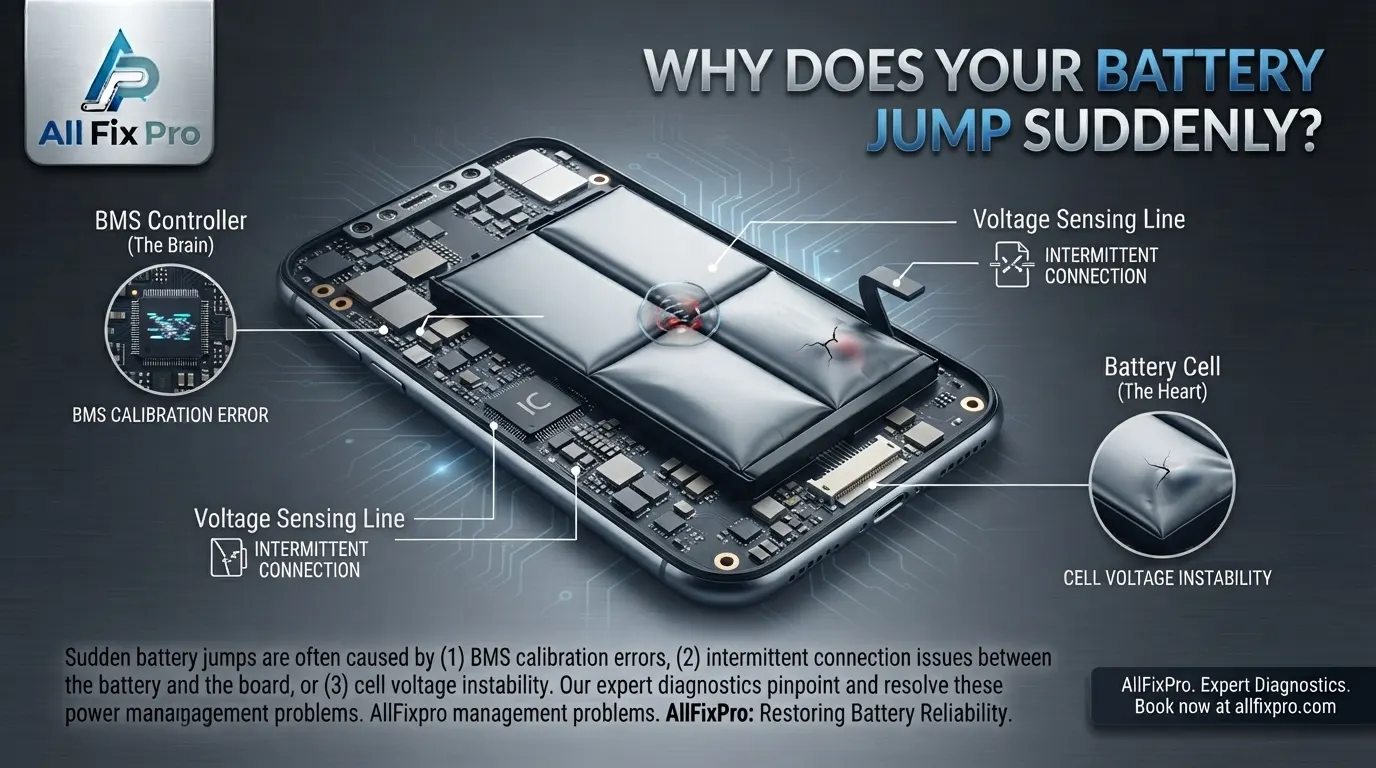
You may notice your phone showing 45% battery one moment and 32% a few minutes later. Sometimes the percentage increases after restarting the device or changes unexpectedly while charging. Phone battery percentage jumping can be confusing because the displayed number does not always reflect the battery’s actual remaining capacity.
A smartphone estimates its battery level using information from the battery and its power-management system. If the estimate becomes inaccurate, the percentage may change suddenly even when your usage has not changed much.
How Does a Smartphone Calculate Battery Percentage?
A phone does not measure its remaining battery capacity in the same way you read a fuel gauge. Instead, it uses battery-management electronics and software to estimate how much energy is available.
The system considers factors such as voltage, current, temperature, charging activity, and battery characteristics. It then displays an estimated percentage so you can understand how much charge remains.
This estimate is not always perfectly accurate. Battery age, temperature changes, software behavior, and unexpected power demands can affect how the reading is calculated.
Why Is the Battery Percentage Inaccurate?
An inaccurate battery percentage reading can happen when the phone’s estimated charge does not match the battery’s actual available energy. For example, the phone may display 30% but shut down shortly afterward.
One possible reason is battery aging. As a rechargeable lithium-ion battery gets older, its ability to hold and deliver energy can change. The phone’s estimate may become less reliable, particularly if the battery has experienced significant wear.
Software issues can also affect the displayed percentage. A temporary system error or inaccurate battery information may cause the number to update unexpectedly.
Why Does the Phone Battery Drop Suddenly?
If your phone battery drops suddenly, several factors may be responsible. An aging battery may struggle to deliver stable power, especially when the phone performs demanding tasks.
Cold or hot temperatures can also affect battery performance. Heavy gaming, video recording, navigation, and other demanding activities can increase power consumption. Background apps may contribute as well, particularly when they continue using location, network, or processing resources.
A sudden percentage decrease is not always proof that the battery is defective. Check whether the change happens during specific activities or when the phone becomes unusually hot or cold.
If your phone repeatedly shuts down while showing a remaining charge, the battery condition and power-management system should be checked.
Do Battery Calibration Myths Explain Sudden Changes?
There are several battery calibration myths that suggest a phone must regularly be drained to 0% and charged to 100% to maintain battery accuracy.
For most modern smartphones, repeatedly performing full discharge cycles is not a recommended maintenance routine. Lithium-ion batteries do not need to be completely drained to remain functional.
A restart or normal charging cycle may sometimes help the phone update an inaccurate reading, but it cannot restore lost battery capacity or repair a physically damaged battery.
Follow the charging and battery-care guidance provided by your phone manufacturer. Avoid repeatedly forcing the phone to shut down just to test the displayed percentage.
Can Battery Health Reading Changes Affect the Percentage?
Yes. Battery health reading changes can help explain why a phone’s battery behavior becomes less predictable over time. Battery health information is an estimate of the battery’s condition, not a guarantee of how long it will last during every use.
Some phones provide battery health information in their settings. The available details vary by manufacturer and model. A lower reported capacity generally means the battery stores less energy than it did when new.
However, battery health and current charge percentage are different measurements. Battery health describes the battery’s longer-term condition, while the percentage estimates the charge available at that moment.
If the phone also has physical battery warning signs, read our guide to swollen phone batteries and their warning signs. A swollen battery should not be pressed, punctured, or handled as a normal battery issue.
What Is the Smartphone Battery Gauge?
The smartphone battery gauge is the system that estimates and reports the battery’s remaining charge. It uses information from the battery and the phone’s power-management electronics to calculate the displayed percentage.
If the battery gauge receives inconsistent information or the battery’s behavior changes with age, the displayed number may not match the phone’s actual runtime.
For example, the percentage may stay at one number for a long time and then fall quickly. It may also increase after a restart because the system has recalculated its estimate.
A battery gauge problem and a worn-out battery are not necessarily the same thing. Testing is needed to understand whether the issue comes from the battery, its monitoring electronics, or the phone’s software.
What Should You Do If Your Battery Percentage Keeps Jumping?
Start by restarting your phone and installing available system updates from the manufacturer. Check battery usage settings to identify apps that may be consuming unusually high power.
Pay attention to temperature and charging behavior. Use a compatible charger and cable, and avoid exposing the phone to extreme heat. If your phone also has trouble charging, our guide to common phone charging problems may help you understand related symptoms.
If the problem continues, back up your important data and arrange a battery assessment. Stop using and charging the phone if you notice swelling, a lifted screen or back cover, or unusual heat.
AlFixPro offers phone repair services in Stockton, including battery-related assessments. A technician can check the battery condition and related hardware before recommending a suitable repair.
Frequently Asked Questions
1. Why does my phone battery percentage jump from 40% to 20%?
An aging battery, inaccurate charge estimate, temperature change, or software issue may cause a sudden drop. Repeated problems should be checked.
2. Why does my battery percentage increase after restarting my phone?
The phone may recalculate its estimated charge after restarting. This does not necessarily mean the battery has gained additional capacity.
3. Does a sudden battery percentage drop mean my battery is damaged?
Not always. Software, temperature, and heavy power usage can affect the reading, but repeated sudden drops may indicate battery wear or another fault.
4. Should I drain my phone battery to 0% to recalibrate it?
No. Regularly draining a modern lithium-ion battery completely is unnecessary and is not recommended as routine maintenance.
5. Can cold weather make my phone battery percentage change?
Yes. Low temperatures can temporarily affect battery performance and available power, which may influence the displayed percentage.
6. Is battery health the same as battery percentage?
No. Battery health estimates the battery’s long-term condition, while the percentage estimates the charge currently available.
7. When should I replace my phone battery?
Consider an assessment if the phone shuts down unexpectedly, loses charge unusually quickly, or shows other signs of battery deterioration. Swelling or unusual heat requires immediate attention.
8. Can a repair shop check why my phone battery percentage keeps changing?
Yes. A technician can assess the battery, charging behavior, and related hardware to help identify the cause of inconsistent readings.