
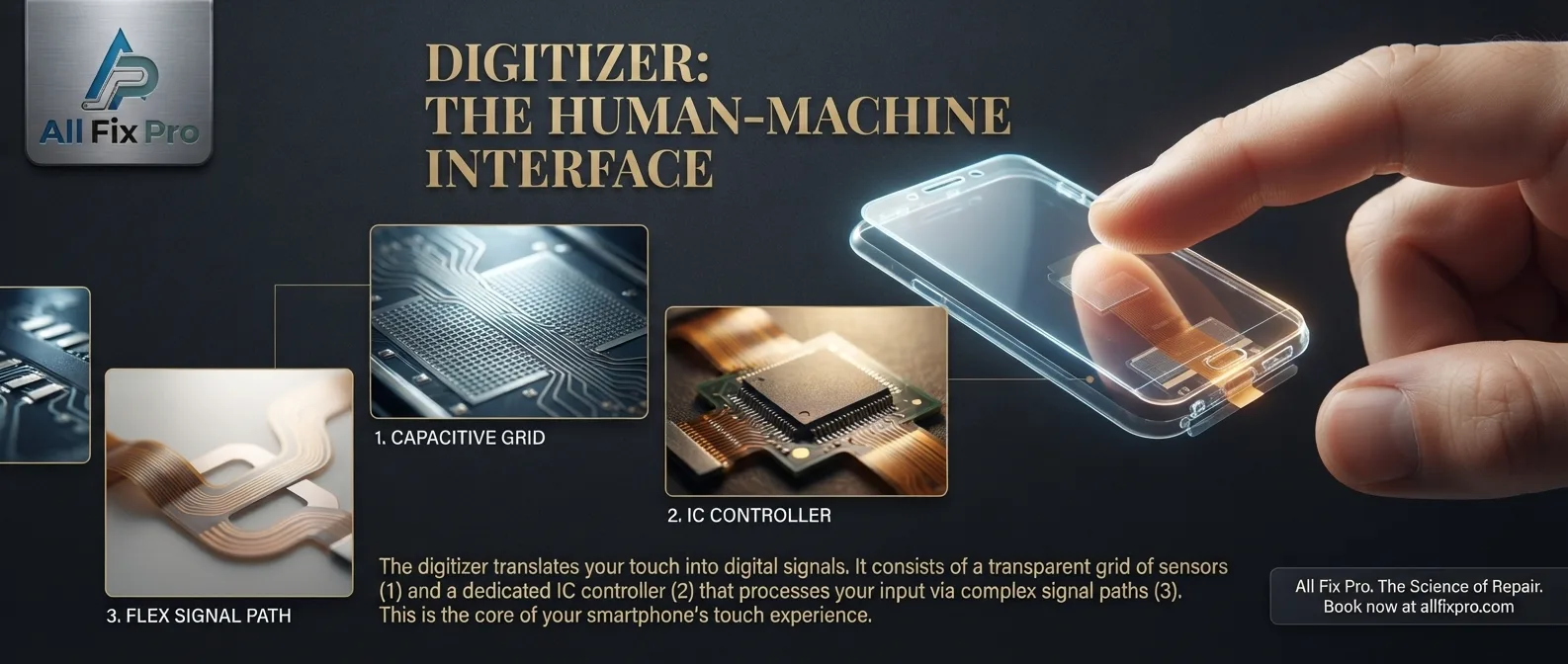
When you tap an app, type a message, or swipe through photos, your phone needs to detect exactly where your finger touches the screen. One important component responsible for this function is the digitizer. Understanding what is a smartphone digitizer can help you recognize why a phone may display images normally but fail to respond to touch.
The digitizer is part of the touchscreen system. It detects touch input and helps the phone translate your finger movements into actions. It works alongside the display, processor, and software to make the touchscreen experience possible.
What Is a Smartphone Digitizer?
A smartphone digitizer is a touch-sensitive component that detects the position of your finger on the screen. When you tap or swipe, it identifies the location of that contact and sends touch information to the phone’s system.
Most modern smartphones use capacitive touch technology. This technology detects changes in the electrical field when a conductive object, such as a finger, touches or approaches the screen surface.
The phone then processes that information and responds to the input. For example, tapping an icon opens an app, while swiping across the screen moves between pages.
Understanding the Smartphone Digitizer Function
The main smartphone digitizer function is to convert physical touch into digital input that the phone can understand. Without a working touch-sensitive system, the display might still show pictures, text, and videos, but the user may not be able to control the device properly.
The digitizer helps detect single taps, long presses, and multi-touch gestures. Depending on the phone and its hardware, it can recognize several touch points at the same time. This is useful for actions such as zooming in with two fingers or typing with both thumbs.
The digitizer does not independently decide what an app should do. It detects the input, while the phone’s processor and software interpret that input and perform the requested action.
What Is the Touch Digitizer Layer?
The touch digitizer layer is part of the touchscreen structure that senses finger contact. In many smartphones, touch-sensing technology is integrated into the display assembly rather than being a completely separate removable sheet.
The exact construction varies between models. Some devices use integrated display technologies, while others have different arrangements of glass, touch sensors, and display components.
This is why screen repair can differ from one phone to another. A technician needs to know the device model and display design before deciding which components can be replaced separately.
Digitizer vs Display Panel: What Is the Difference?
Understanding digitizer vs display panel is easier when you think about their different jobs.
The display panel produces the image you see. It shows colors, icons, videos, and text. The digitizer detects where you touch and sends that information to the phone.
These components work together, but their functions are not identical. A phone may have a working display with a faulty touch system, or it may respond to touch while showing visual problems caused by the display panel.
On many newer phones, touch and display technologies are closely integrated. A damaged assembly may therefore require a complete screen replacement rather than a separate digitizer repair. Our guide to iPhone screen replacement types explains some of the differences between replacement display technologies.
Common Touchscreen Digitizer Symptoms
Some touchscreen digitizer symptoms are easy to notice. The screen may stop responding in certain areas, register touches in the wrong place, or respond only after repeated tapping.
Other signs can include ghost touches, delayed input, missed swipes, or difficulty typing. Sometimes the phone works normally for a while before touch response becomes unreliable.
These problems do not automatically confirm digitizer damage. A screen protector, moisture, software issue, damaged display assembly, or other hardware fault can produce similar symptoms.
What Can Damage a Smartphone Digitizer?
Physical impact is one possible cause. Dropping a phone can affect the touch-sensing components even if the glass does not visibly crack.
Pressure, bending, moisture exposure, and damage during an earlier repair may also affect touchscreen performance. In some cases, a loose internal connection can interrupt communication between the touchscreen assembly and the phone.
Avoid pressing harder when a screen does not respond. Excessive pressure will not repair the touch sensor and may make existing damage worse.
How Is a Digitizer Problem Diagnosed?
A technician may test different screen areas, check whether touch input matches finger position, inspect the display assembly, and examine relevant internal connections.
The phone model matters because touchscreen designs and replacement procedures differ. A repair shop should identify the fault before recommending a part.
If your touchscreen is not responding correctly, explore our phone repair services to understand available diagnostic and repair options. AlFixPro provides phone repair services in Stockton for touchscreen and display-related problems.
Frequently Asked Questions
1. What does a smartphone digitizer do?
It detects the position of your finger on the touchscreen and sends touch information to the phone so it can respond to taps and gestures.
2. Can a phone display work if the digitizer is damaged?
Yes. The display may still show images even when the touchscreen does not respond properly.
3. Is the digitizer the same as the screen?
No. The display produces images, while the digitizer detects touch. However, many phones combine these technologies into one integrated assembly.
4. Can a cracked screen damage the digitizer?
Yes. An impact that cracks the glass may also affect the touch-sensitive components underneath.
5. Why does my touchscreen work only in some areas?
Possible causes include digitizer damage, display assembly problems, software issues, or internal connection faults.
6. Can a digitizer be replaced separately?
That depends on the phone model and how its screen is constructed. Some devices require a complete display assembly replacement.
7. Does a screen protector affect the digitizer?
A poorly fitted, damaged, or unsuitable screen protector can interfere with touch response in some situations. Removing it temporarily may help with basic troubleshooting.
8. How can I tell whether my phone needs digitizer repair?
If touch input is missing, inaccurate, delayed, or inconsistent, have the phone tested. A technician can distinguish digitizer problems from other touchscreen faults.